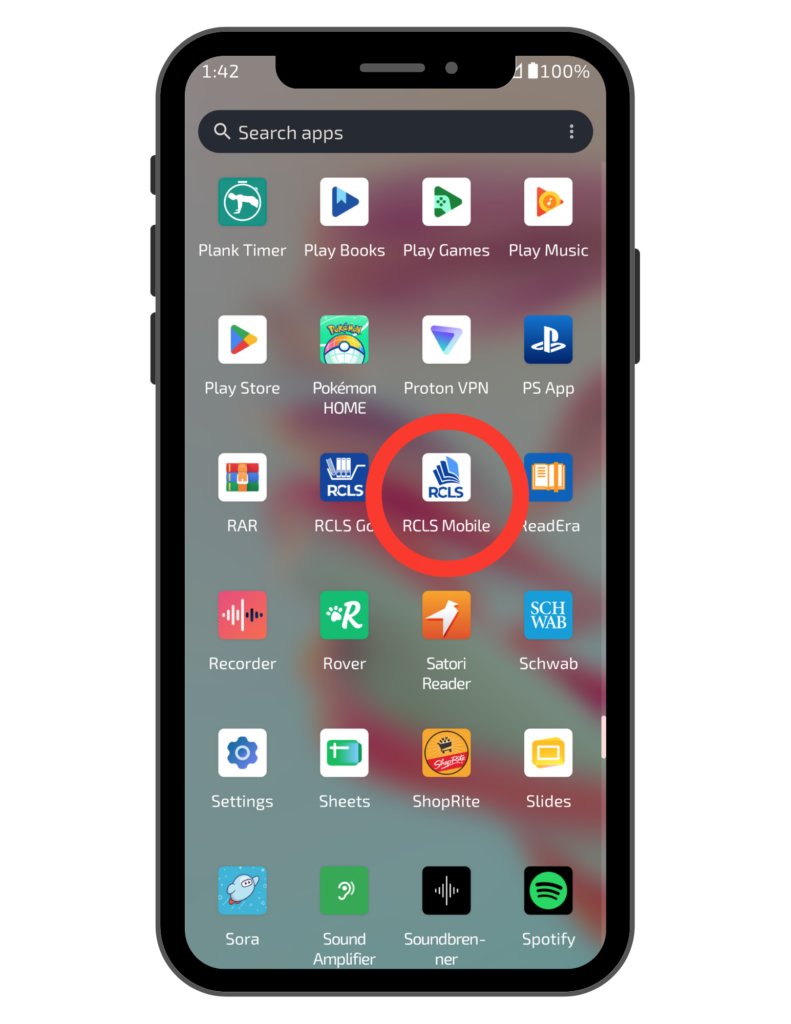
Add the RCLS Mobile Shortcut to Your Android Device
Open Chrome and Navigate to the Library Catalog page
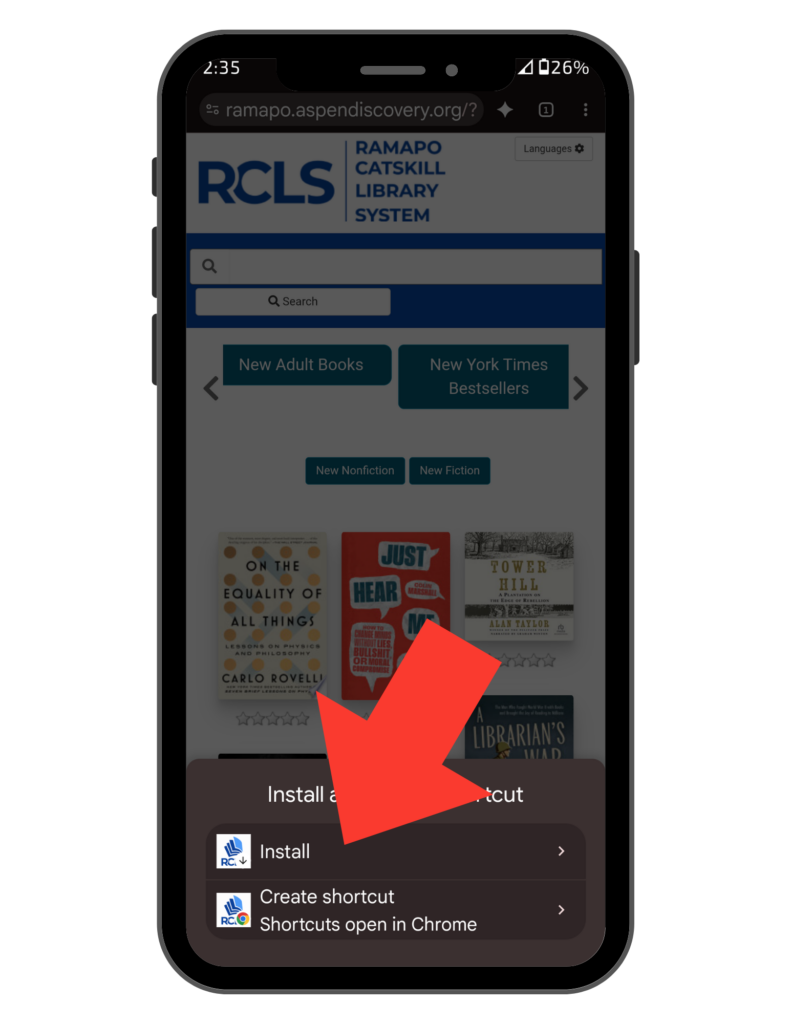
Android user may see an automatic prompt inviting them to install the catalog when they first visit the website, provided their browser and device meet the requirements. If not begin at the next prompt.
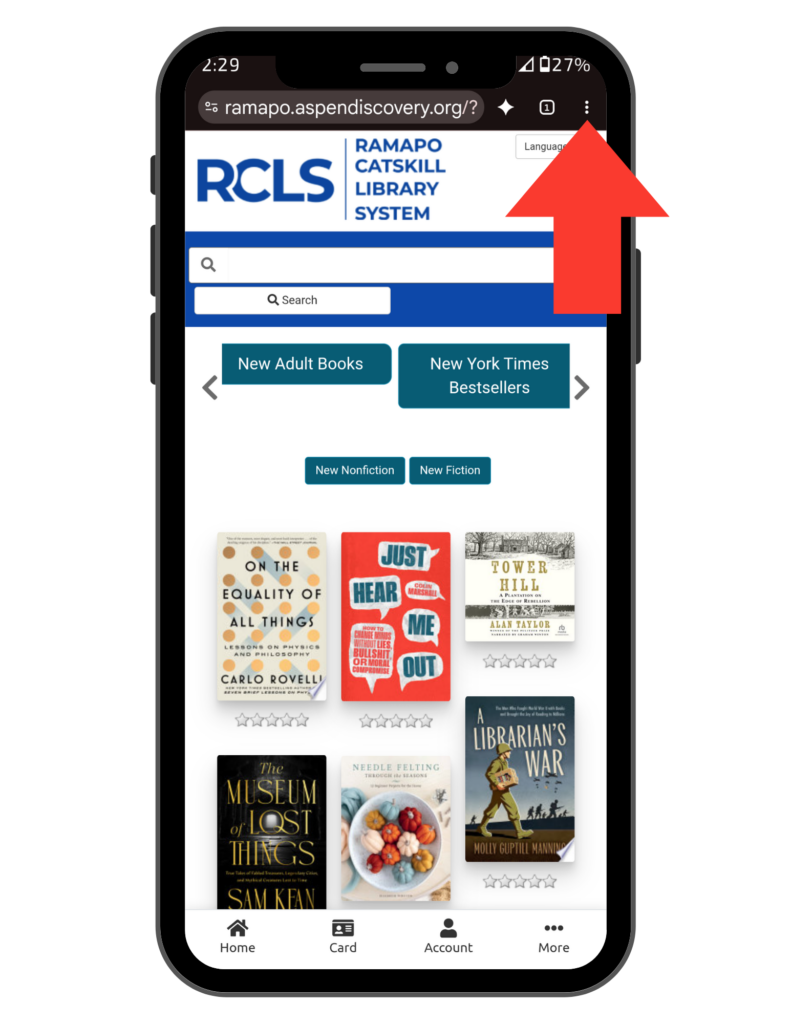
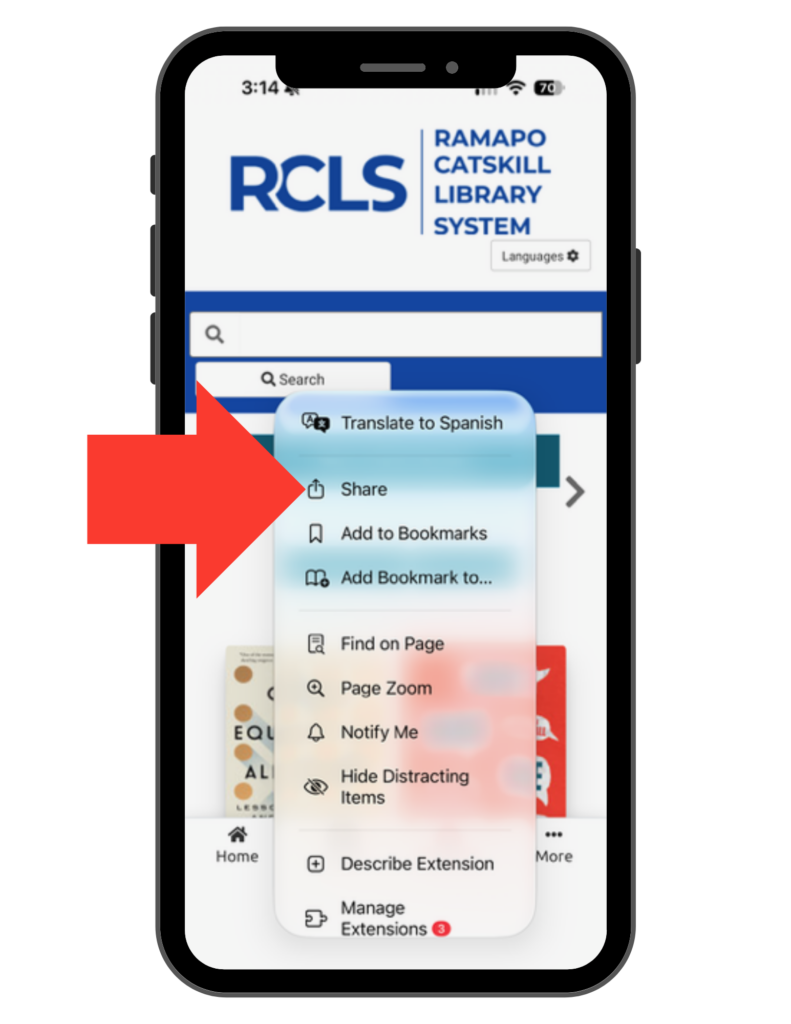
Tap the Three Dot Menu in the upper-right corner of the screen
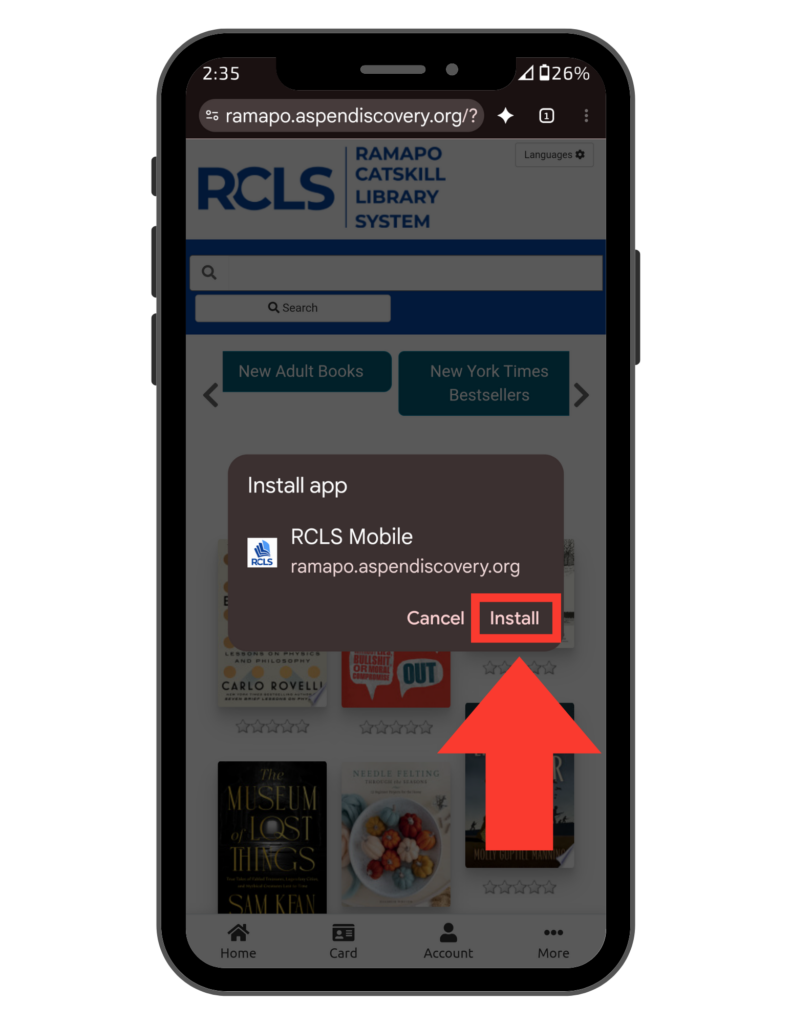
Follow the prompts to add the icon to your Home Screen